Can AI Reduces Email and Meeting Overload? How Most of us start the day with grand plans to tackle a big project, only to find ourselves buried under seventy-four unread emails and a calendar that looks like a game of Tetris played by someone who hates free time. It’s a modern trap: we spend so much energy talking about work in meetings and threads that we have no bandwidth left to actually do it.
The good news is that the “busy work” tax is finally starting to drop. Over the last couple of years, some incredibly smart digital filters and automated systems have emerged that act as a sort of personal gatekeeper. They don’t just move the mail around; they actually help you reclaim those lost hours spent in “status update” purgatory. If you’re tired of the 5 PM realization that you haven’t actually accomplished anything meaningful, it’s time to rethink how you handle your inbox and your invite list.
The Inbox Zero Myth vs. The Intelligent Filter
For years, productivity gurus told us to strive for “Inbox Zero.” It was a nice sentiment, but it usually just turned us into high-speed filing clerks. You’d spend all morning archive-ing and labeling just to feel a sense of control. Today, the focus has shifted from organizing the mess to preventing the mess from ever reaching your eyeballs.
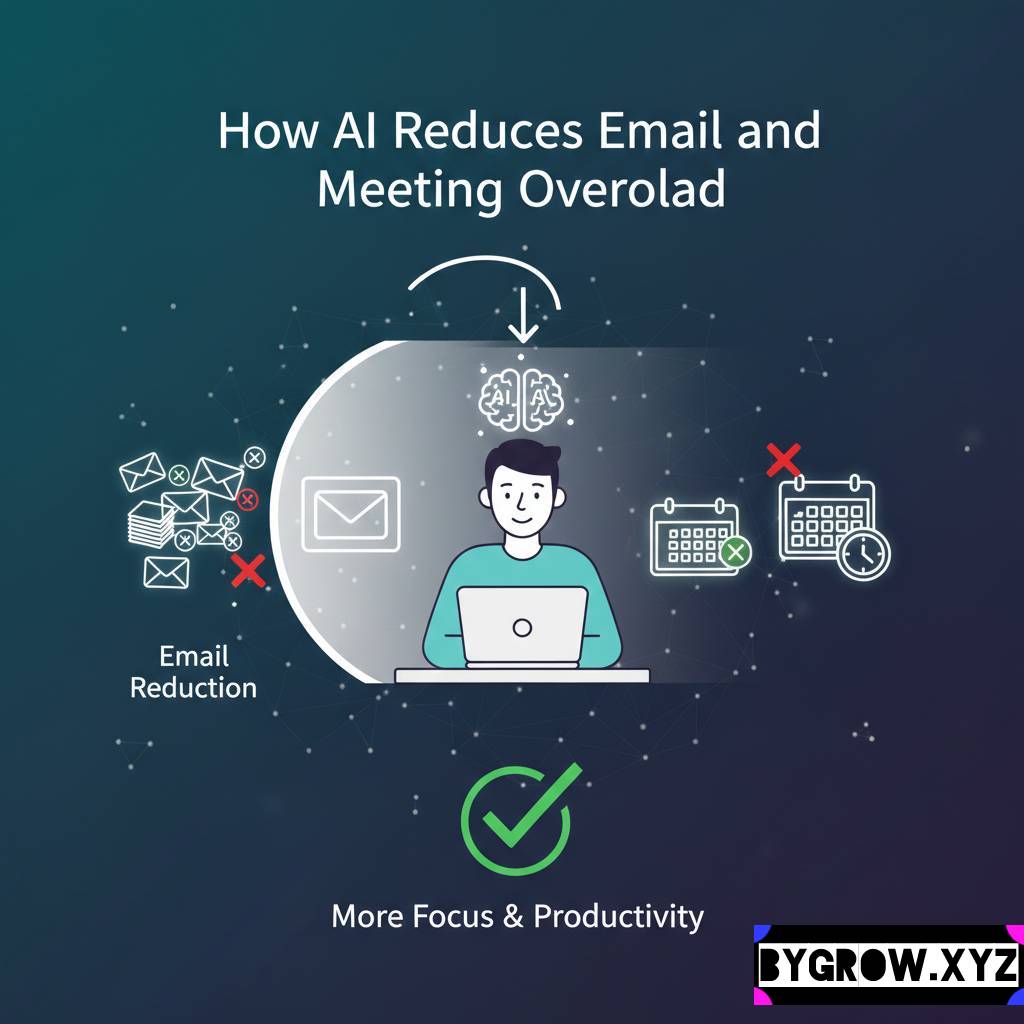
Modern smart assistants can now “read” the intent of an email before you ever open it. They can distinguish between a high-priority request from your boss and a generic “newsletter” that you’re only subscribed to out of habit. By setting up intelligent triage systems, you can ensure that your primary inbox only shows things that require your specific human brain to solve. Everything else receipts, cold pitches, “FYI” threads gets bundled into a summary that you can scan in sixty seconds at the end of the day.
It’s about moving from a reactive state (answering every “ping”) to a proactive one. When you aren’t being constantly interrupted by low-value notifications, your deep-work capacity doubles. You aren’t just faster; you’re actually better at what you do.
Meetings: From “Hour-Long Slogs” to Five-Minute Recaps
If the inbox is the silent killer of productivity, the “Status Update Meeting” is the loud one. We’ve all sat through those hour-long calls where fifteen people take turns talking for four minutes each while the other fourteen check their phones. It’s a massive drain on company resources and personal sanity.
The shift happening right now involves using intelligent transcription and summarization tools to make attendance optional. Instead of sitting through a sixty-minute call to hear the two minutes that matter to you, you can now receive a “smart recap.” These systems don’t just give you a transcript; they identify action items, highlight specific mentions of your name or projects, and summarize the core decisions made.
Imagine a world where you only attend meetings where you are a primary driver. For everything else, you simply “consume” the highlights later. It turns meetings back into what they were supposed to be: a tool for decision-making, not a ritual for showing your face.
How to Shrink Your Digital Footprint
You don’t need a massive tech budget to start reclaiming your time. Most of the tools you already use have hidden “smart” features that can handle the heavy lifting. Here is a quick guide to getting started.
1. Set Up an “Intelligence Layer” for Email
Don’t just use folders; use intent-based filters. Most modern email clients allow you to create rules based on keywords. But go a step further and use tools like SaneBox or the built-in “Priority” features in Outlook/Gmail. Tell the system: “If this email doesn’t have a question mark or a direct request for me, move it to a ‘Read Later’ folder.”
2. Record, Don’t Just Recap
Whenever you have a meeting, use a tool like Otter or Fireflies. Even if you are there, having a system that automatically pulls out “Action Items” saves you the thirty minutes of post-meeting “Wait, what did we agree on?” confusion.
YOU CAN ALSO READ:
Effortless AI Workflow Automation for Solopreneurs3. Implement the “No-Agenda, No-Attendant” Rule
This is a cultural shift. Use your digital tools to enforce it. If a meeting invite comes in without a clear set of goals, use a smart template to reply: “I’d love to contribute to this. To make sure I’m prepared and to see if I need to be there for the full hour, could you share the specific agenda or questions you need me to answer?” Often, they’ll just realize they can send you a quick note instead.
4. Use “Async” Video
Instead of a 15-minute “quick sync,” record a 2-minute Loom video. You can show your screen, explain your thought process, and send it over. The recipient can watch it at 1.5x speed when they have a gap in their day. It breaks the cycle of “meeting tag.”
Real-Life Example: Sarah’s “Wednesday Reset”
I have a friend, Sarah, who runs a mid-sized marketing agency. Last year, she was clocking 45 hours a week, and 30 of those were spent in meetings or clearing her inbox. She felt like she was drowning.
We implemented a simple “Smart Filter” system.
- First, we used an automated tool to unsubscribe her from 400+ newsletters and “updates” she never read.
- Second, we set up a rule where any internal “status update” meeting was recorded and summarized, and she stopped attending them.
- Third, she started using an intelligent scheduling tool that only allowed people to book meetings in two-hour blocks on Tuesdays and Thursdays.
Within a month, her “active work time” increased by 15 hours a week. She didn’t work more; she just stopped wasting time on the “meta-work.” She even used some of that extra time to overhaul her firm’s retirement plan though I told her, “Make sure you ask your financial advisor before you move those 401k allocations around.” The point is, she finally had the head-space to think about the big picture again.
Email and Meeting Overload: Practical Tips and Common Mistakes
It’s easy to get over-excited and try to automate everything at once, but that usually leads to a different kind of overwhelm.
- Mistake: The “Ghost” Trap. Don’t automate your replies so much that people think they’re talking to a robot. If an email requires a personal touch, write it. Use the tools to clear the path so you have the energy to be human.
- Mistake: Over-reliance on Summaries. Summaries are great for status updates, but if you’re dealing with a sensitive HR issue or a complex legal contract, you still need to read the fine print or listen to the tone of the conversation.
- Tip: Prune Your Tools. Every three months, look at the “smart” tools you’re paying for. If you aren’t using one, cut it. “Subscription bloat” is the new “email bloat.”
- Tip: Respect Other People’s Time. If you’re using these tools to save yourself time, don’t use that extra time to send more emails to your team. The goal is to reduce the noise for everyone.
Investment in Your Own Sanity
When you look at the cost of some of these smart tools maybe $20 or $30 a month it can feel like just another expense. But you have to look at it through the lens of your hourly rate. If a tool saves you five hours a week, and your time is worth $50 an hour, that tool is basically handing you $1,000 a month in reclaimed value.
Of course, when you start seeing those kinds of “productivity gains” turn into actual profit, you’ll want to be smart with that extra cash. Ask your financial advisor about how to best reinvest those business savings, whether it’s into scaling your operations or padding your personal portfolio. Being productive is only half the battle; being smart with the results of that productivity is the other half.
Conclusion
The “hustle culture” of the 2010s taught us that being busy was a badge of honor. But in 2026, we know better. Being busy is often just a sign that you haven’t optimized your workflow.
By using intelligent systems to act as your shield against the relentless tide of emails and meetings, you aren’t “cheating” or being lazy. You’re being a professional. You’re protecting your most valuable asset: your attention.
The next time you feel that familiar dread of a triple-booked afternoon or a three-hundred-count inbox, don’t just “power through” it. Stop and ask yourself how you can build a system to make sure this is the last time you ever feel this way. The tools are there. You just have to be the one to give them their marching orders.
Explore more categories:
https://bygrow.in/category/ai-tools-automation-for-business/
https://bygrow.in/category/prompt-engineering-and-prompt-libraries/