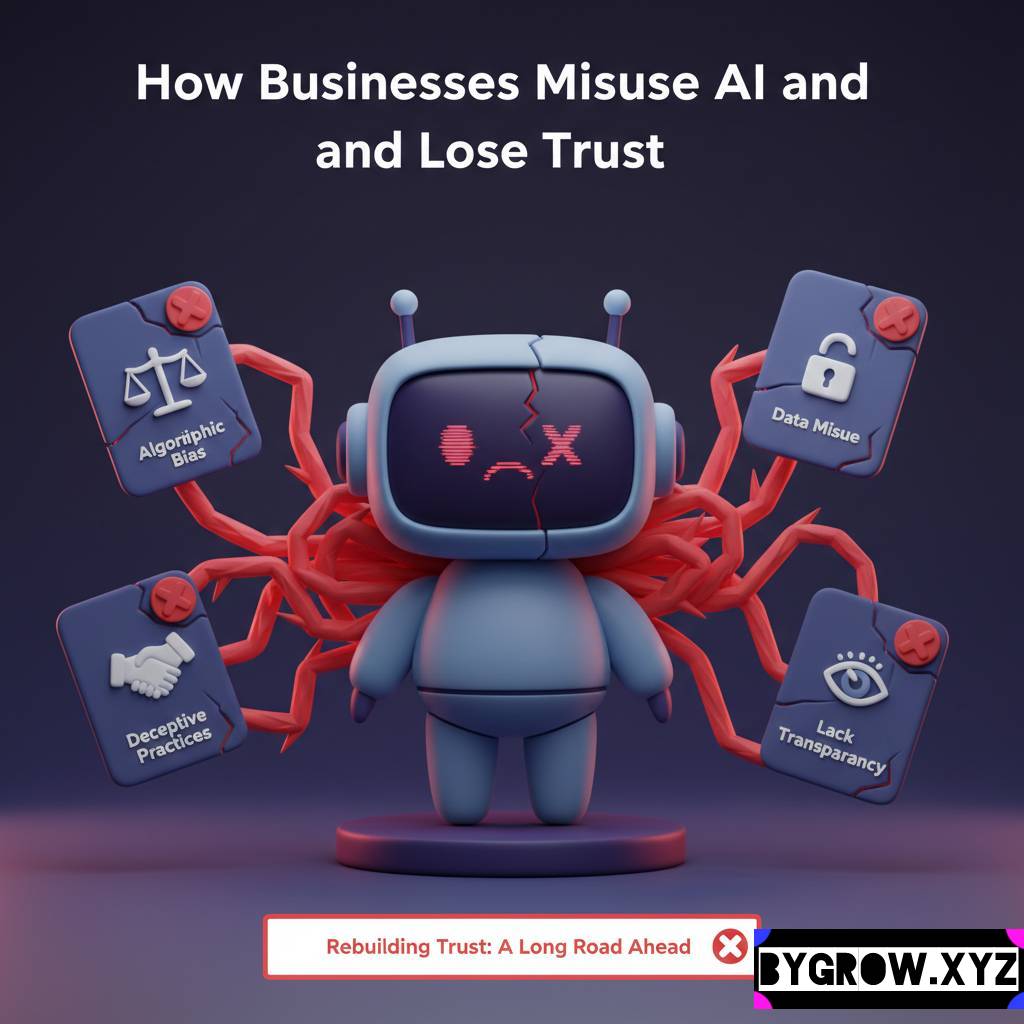
Data Privacy Risks: We’re living in a gold rush where “smart” software is being bolted onto every part of our businesses, and while the productivity gains are massive, the back door is often wide open. It’s one thing to let an app write a funny birthday poem for your cat; it’s quite another to feed it your company’s quarterly financial projections or your clients’ private contact details.
The convenience of modern software-as-a-service (SaaS) is a double-edged sword. We get these incredible capabilities for a few dollars a month, but the “hidden cost” is often our most sensitive information. If you haven’t looked at a privacy policy lately and let’s be honest, who has? you might be surprised to find that you’ve accidentally granted a startup in a different country the right to use your proprietary data to “improve their systems.” In plain English? They’re using your hard-earned secrets to train their software for your competitors.
The Invisible “Data Leak” in Your Workflow
When you paste a messy spreadsheet into a data-cleaning tool or upload a recording of a sensitive board meeting to a transcription service, that information doesn’t just vanish once the task is done. In many cases, it’s stored on a server you don’t control, managed by a company whose security protocols might be held together by digital duct tape.
The biggest risk isn’t necessarily a hooded hacker breaking in; it’s the “Terms of Service” that we blindly click “Accept” on. Many SaaS companies have “Opt-Out” policies rather than “Opt-In” ones. This means that by default, they are allowed to ingest everything you upload into their massive database. If you’re a doctor, a lawyer, or a consultant handling trade secrets, this isn’t just a minor oops it’s a massive liability that could end your career.
Shadow IT: The Enemy Within
A major problem in 2026 isn’t just the tools the company buys; it’s the tools the employees use on their own. This is “Shadow IT.” An employee gets frustrated with a slow internal process, finds a free online tool to “fix” a document or “optimize” some code, and suddenly, your company’s intellectual property is floating in the cloud.
These tools are designed to be frictionless. They want you to upload your files as quickly as possible. But that friction is exactly what keeps data safe. Without clear boundaries, your team might be inadvertently leaking customer credit card info or future product roadmaps just to save twenty minutes on a Tuesday afternoon.
Data Privacy Risks: How to Protect Your Data While Using Modern Tools
You don’t have to go back to using a typewriter and a filing cabinet to stay safe. You just have to be a bit more “street smart” about how you interact with the cloud. Here is a practical framework for vetting any new tool before you give it the keys to the castle.
1. Look for the “Enterprise Grade” Badge
If a tool is free, you are the product or rather, your data is. Whenever possible, look for tools that offer SOC2 Type II compliance or ISO 27001 certification. These aren’t just buzzwords; they mean an independent auditor has actually checked their security.
2. The “Anonymization” Habit
Before you upload a document to a smart summarizer, do a quick “Find and Replace.” Change client names to “Client A,” swap out specific dollar amounts for generic placeholders, and remove any addresses or phone numbers. If the data is anonymous, the risk drops to nearly zero.
YOU CAN ALSO READ:
Unlock Freedom: AI Reduces Email and Meeting Overload3. Audit Your “Connected Apps”
Go into your Google or Microsoft account settings and look at “Third-Party Apps with Account Access.” Most of us have dozens of tools we haven’t used in years that still have permission to read our emails or see our files. Revoke everything you don’t use daily.
4. Hunt for the “Training” Toggle
In the settings of almost every modern productivity tool, there is a checkbox that says something like “Allow us to use your data to improve our services.” Uncheck it. In many professional versions of software, this is off by default, but in the free or “pro” tiers, they often sneak it in.
Real-Life Example: The “Accidental” Leak
I worked with a small accounting firm last year that almost lost their biggest client due to a simple mistake. A junior staffer was trying to be efficient and used a web-based “PDF to Excel” converter to process a client’s tax returns.
Three months later, the client found snippets of their private financial data appearing in the “suggested results” of a search engine because that specific PDF tool had a public-facing database that had been indexed by Google. It was a nightmare of legal threats and apologies.
The firm ended up having to pay a massive settlement. While they were restructuring their finances to cover the loss, I reminded the owner, “Before you start liquidating your business assets or dipping into your personal pension to pay for this legal mess, ask your financial advisor about the most tax-efficient way to handle a business settlement.” It was a hard lesson: “Free” tools are often the most expensive ones you’ll ever use.
The Toolbox: Security-First Alternatives
If you’re worried about privacy but still need the power of modern automation, here are the tools that actually take security seriously:
- Vanta & Drata: These aren’t productivity tools; they are “Security Compliance” tools. If you’re running a startup, these help you monitor your other SaaS tools to make sure they aren’t leaking data.
- Proton Drive / Skiff: If you need to store and share sensitive documents, use end-to-end encrypted services where even the company hosting the data can’t read it.
- Local-First Tools: Look for software that runs “on-device.” Tools like Obsidian for note-taking or Ollamafor running smart processes locally mean your data never leaves your hard drive.
- 1Password / Dashlane: You’d be shocked how many “data leaks” are actually just people using the same password for their Netflix and their CRM. Use a vault and turn on 2FA for everything.
Practical Tips or Mistakes Section
- Mistake: Trusting the “Delete” Button. Just because you deleted a file from a web app doesn’t mean it’s gone from their backups. Assume that anything you upload is permanent.
- Mistake: Thinking “We’re Too Small to Target.” Hackers don’t usually target you; they target the SaaS tool you use. If a popular “Meeting Notes” app gets breached, they get the data of every single user, including yours.
- Tip: Read the “Data Processing Agreement” (DPA). If you are in the EU or California, you have legal rights (GDPR/CCPA). Make sure the tool you’re using has a DPA you can sign. It’s boring legal work, but it’s your shield.
- Tip: Watch Your Spending on Security. It’s easy to get paranoid and buy five different “privacy suites.” Ask your financial advisor if these can be bundled or if there are more cost-effective ways to insure your business against data breaches.
Conclusion: Trust, but Verify
The “Smart Revolution” isn’t going anywhere. We can’t afford to be luddites who refuse to use new tools, but we also can’t afford to be naive. The goal is to build a “Security Mindset.”
Every time you’re about to click “Upload,” take a three-second pause. Ask yourself: “If this document was posted on a billboard in the middle of the city, would my business survive?” If the answer is no, then you need to find a more secure way to handle that task.
YOU CAN ALSO READ:
List of 10 free AI tools for daily use to increase productivityPrivacy isn’t about hiding; it’s about control. It’s about you deciding who gets to see your work and on what terms. In 2026, data is the new currency, and you wouldn’t leave your wallet sitting on a park bench just because it’s “convenient.” Treat your digital data with the same respect, and you’ll be able to enjoy the benefits of modern software without the midnight panic attacks.
Explore more categories:
https://bygrow.in/category/ai-tools-automation-for-business/
https://bygrow.in/category/prompt-engineering-and-prompt-libraries/